
What is a QA report?
A QA report is an automated, end-to-end audit of your product. Instead of testing a single flow like a workflow, a QA report covers your entire product surface:- Lark’s agent analyzes your product and identifies areas to test.
- It tests each area one by one, logging issues it finds.
- When testing is complete, it writes a summary with all issues ranked by priority.
QA reports must be enabled for your account. Contact us if you don’t see the option in your dashboard.
Creating a QA report
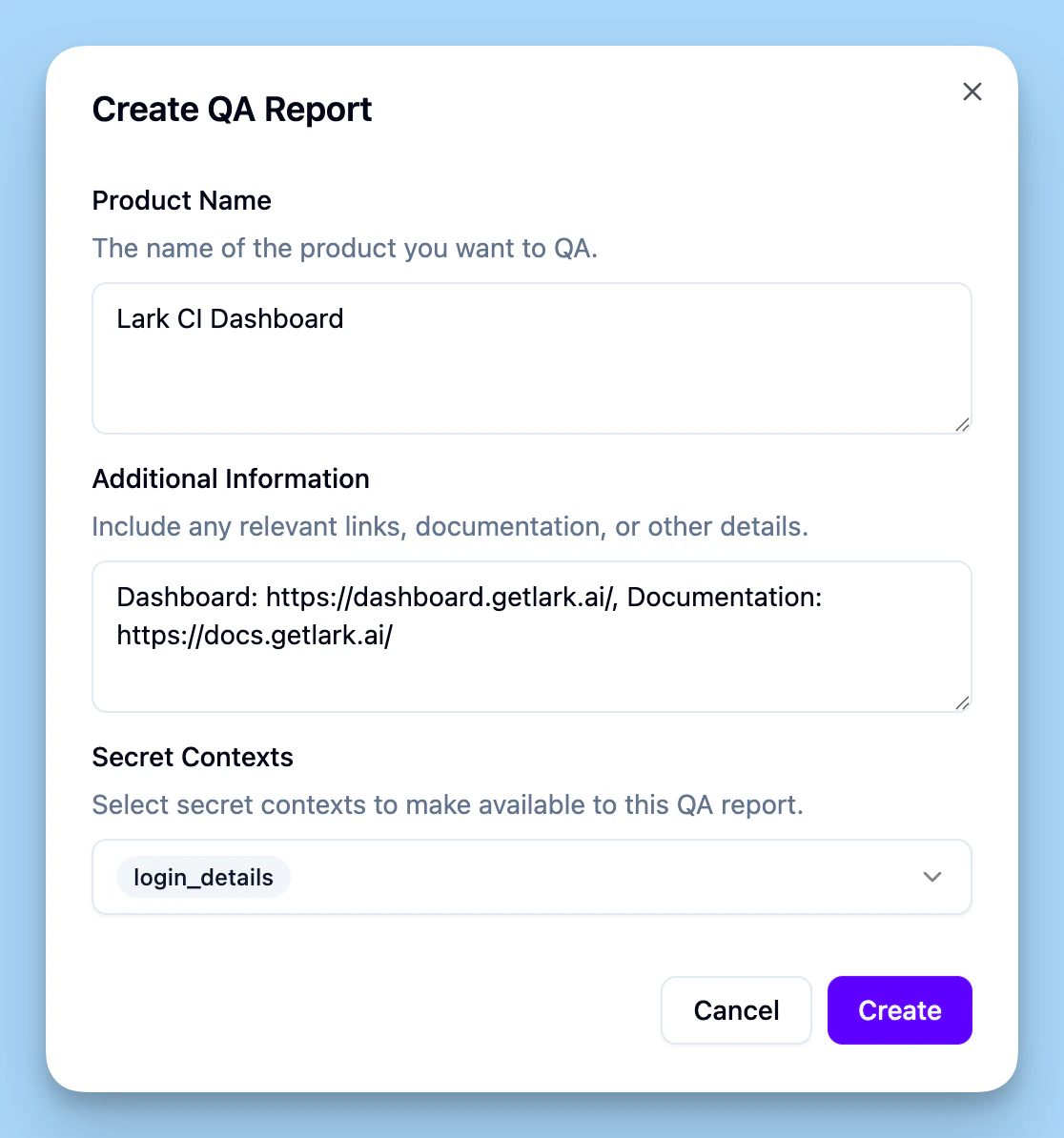
1
Open the QA Reports page
In the dashboard, go to QA Reports. Click Create report.
2
Enter your product name
Give the report a product name (e.g. “Acme Dashboard”).
3
Provide relevant information
Add additional information like relevant links (developer documentation url, dashboard url, etc). You can also tell the agent what to focus on or what to skip.
4
Attach secrets if needed
If the product requires credentials to test (login details, API keys, etc.), attach one or more secret contexts. The agent uses these to authenticate during testing.
5
Submit
Click Create. Lark begins analyzing your product to identify testing areas.
QA report lifecycle
Once created, a report goes through three phases:- Identification — The agent analyzes your product and proposes areas to test. When it finishes, the report pauses so you can review the proposed areas.
- Testing — Click Trigger testing to start. The agent works through each area one at a time. You can pause and resume testing at any point.
- Complete — All areas have been tested and a summary is generated.
Test areas and issues
Each area the agent tests produces a test report containing:- Result — Whether the area passed or failed.
- Notes — What the agent observed.
- Issues — A list of problems found, each with a title, description, priority, and type.