> ## Documentation Index
> Fetch the complete documentation index at: https://docs.getlark.ai/llms.txt
> Use this file to discover all available pages before exploring further.
# Preview deployments
> Get a publicly accessible version of your app for every pull request.
## What is a preview deployment?
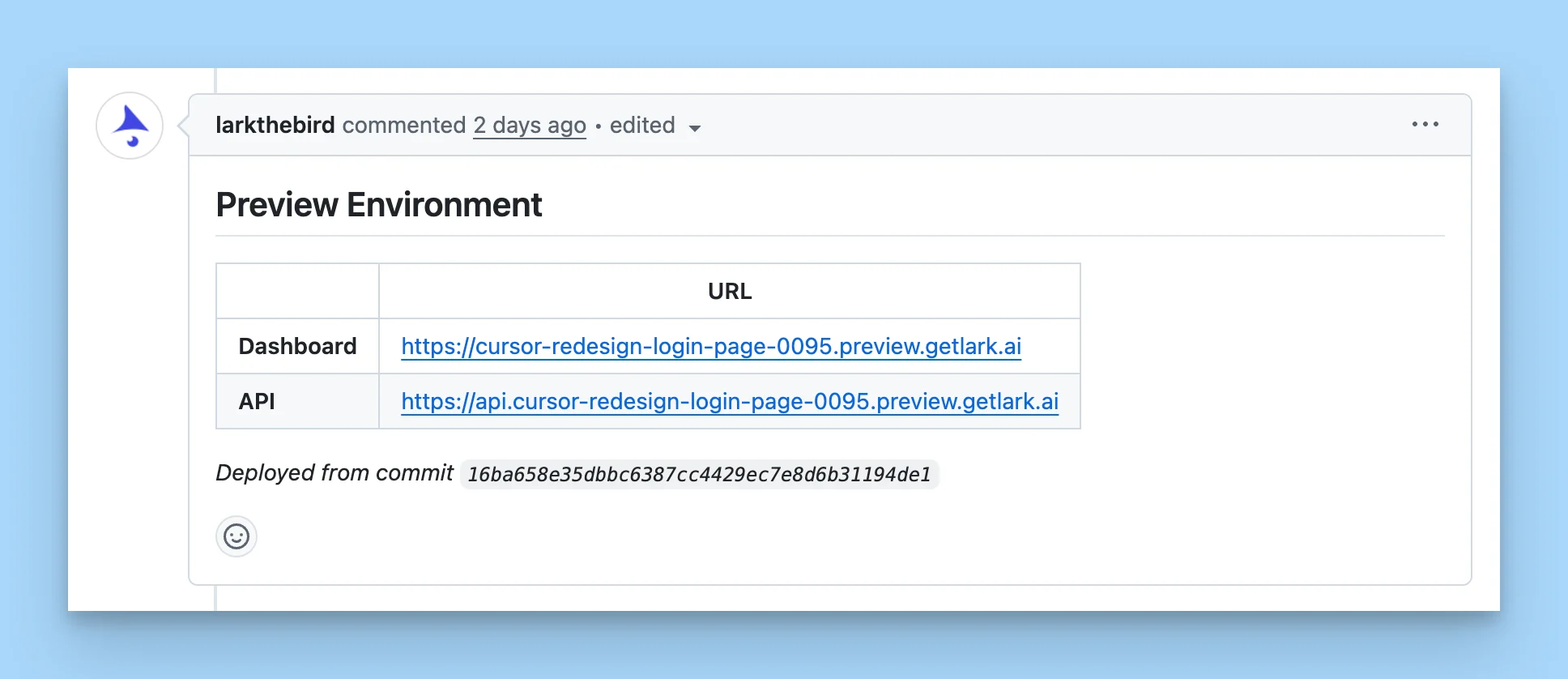 A preview deployment is a publicly accessible, per-branch environment for any Docker Compose project. For every pull request, Lark spins up a fully functional version of your app — similar to your local environment — at a URL like `mybranch.preview.example.com`.
This is a managed version of our open source project [Preview Use](https://github.com/getlark/previewuse).
Preview deployments are useful for:
* **Assisting with code reviews** — play around with the change and validate side effects directly instead of going deep on the diff.
* **Verifying the work of background agents** — confirm an agent's change behaves as expected in a live environment.
Preview deployments must be enabled for your account. The integration is free and we don't plan to monetize it. [Contact us](mailto:team@uselark.io) if you'd like access.
## Triggering a preview deployment
Once enabled on a connected repository, you can create a preview deployment for any branch in one of two ways:
* Add a configured label (like `deploy-preview`) to the pull request.
* Comment the configured command (like `/lark-deploy-preview`) on the pull request.
You'll get back a URL (like `mybranch.preview.example.com`) with a fully functional app.
## Test data setup
We support test data setup via scripts that you write, so you don't have to set up accounts and test data from scratch in the preview environment. Your scripts run as part of bringing the environment up, leaving you with a ready-to-use app.
A preview deployment is a publicly accessible, per-branch environment for any Docker Compose project. For every pull request, Lark spins up a fully functional version of your app — similar to your local environment — at a URL like `mybranch.preview.example.com`.
This is a managed version of our open source project [Preview Use](https://github.com/getlark/previewuse).
Preview deployments are useful for:
* **Assisting with code reviews** — play around with the change and validate side effects directly instead of going deep on the diff.
* **Verifying the work of background agents** — confirm an agent's change behaves as expected in a live environment.
Preview deployments must be enabled for your account. The integration is free and we don't plan to monetize it. [Contact us](mailto:team@uselark.io) if you'd like access.
## Triggering a preview deployment
Once enabled on a connected repository, you can create a preview deployment for any branch in one of two ways:
* Add a configured label (like `deploy-preview`) to the pull request.
* Comment the configured command (like `/lark-deploy-preview`) on the pull request.
You'll get back a URL (like `mybranch.preview.example.com`) with a fully functional app.
## Test data setup
We support test data setup via scripts that you write, so you don't have to set up accounts and test data from scratch in the preview environment. Your scripts run as part of bringing the environment up, leaving you with a ready-to-use app.